

Sales & installation operations platform

Run the whole install company from one screen.

Leads, proposals, design, permits, crews, inspections, PTO, funding and commissions — one record per homeowner, from the first knock to the last payment.

Lead to PTO in one recordCommissions with clawbacksEnglish & Spanish
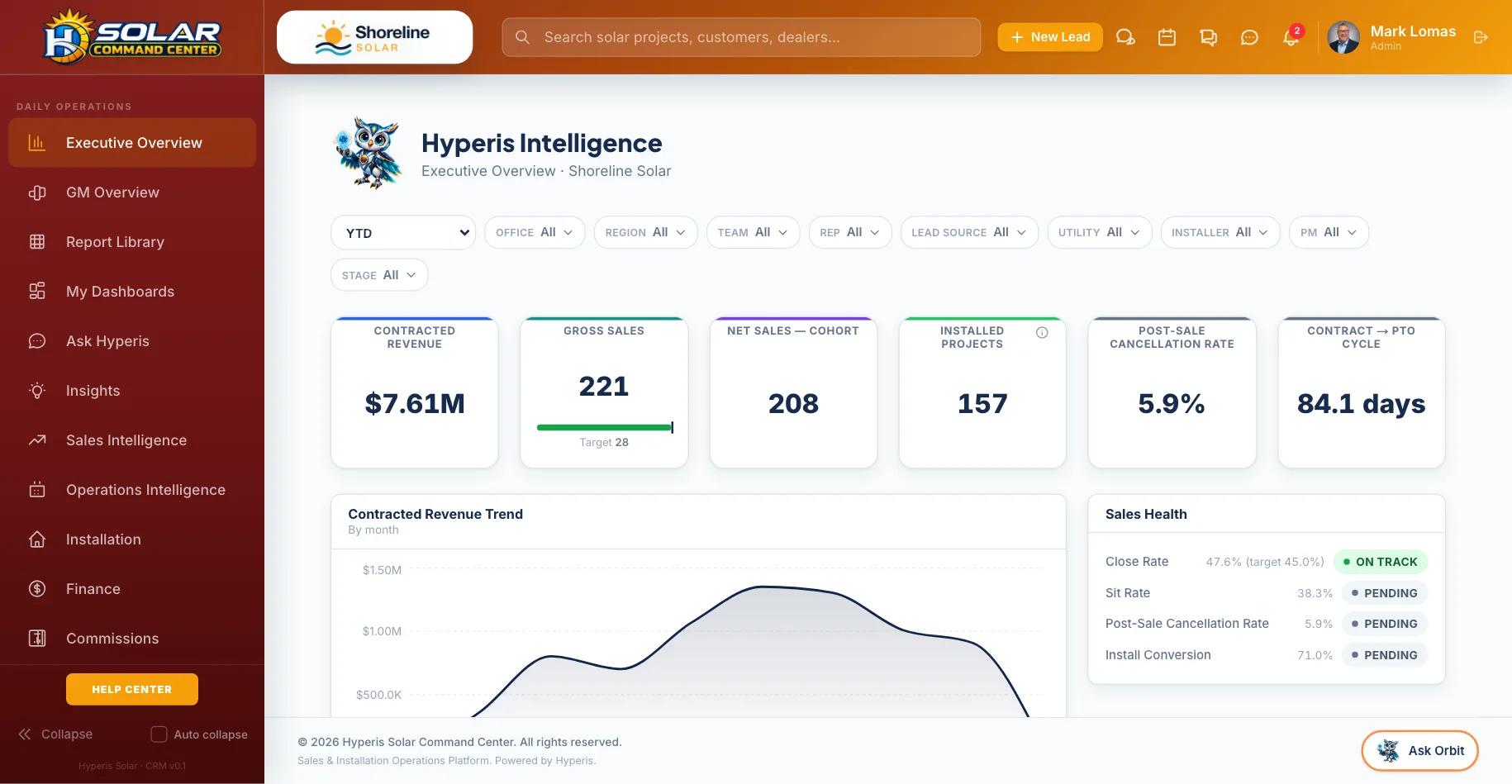
Command Center: Executive Overview — Sales, installs, PTO and cash on one screen
Sell

From first knock to signed contract.

Every lead, appointment and proposal in one pipeline your whole sales team works from.

Pipeline that matches how you sell

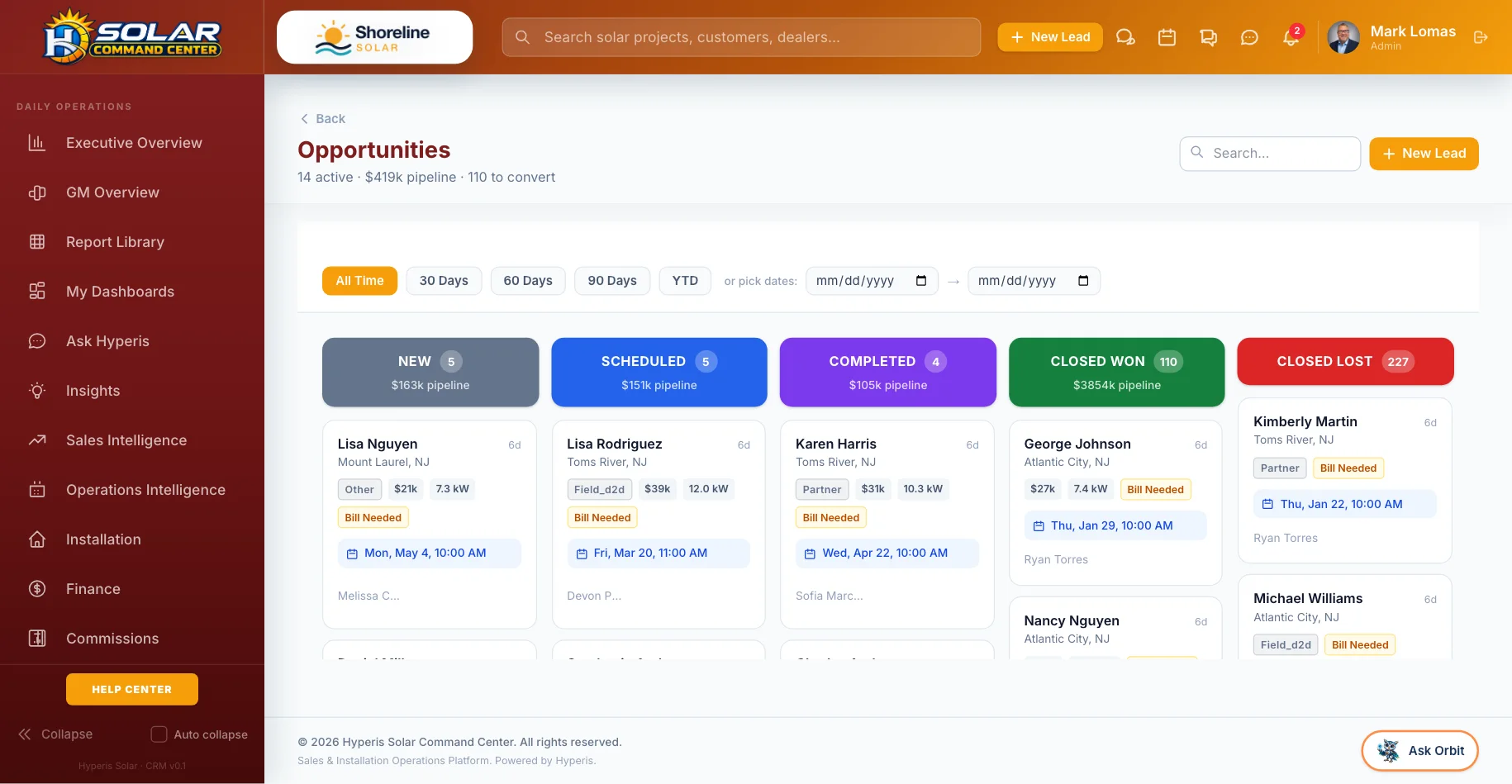
Leads, opportunities and projects on one board, by stage, rep, office and source. Lead scoring shows who to call first.

Proposals homeowners understand

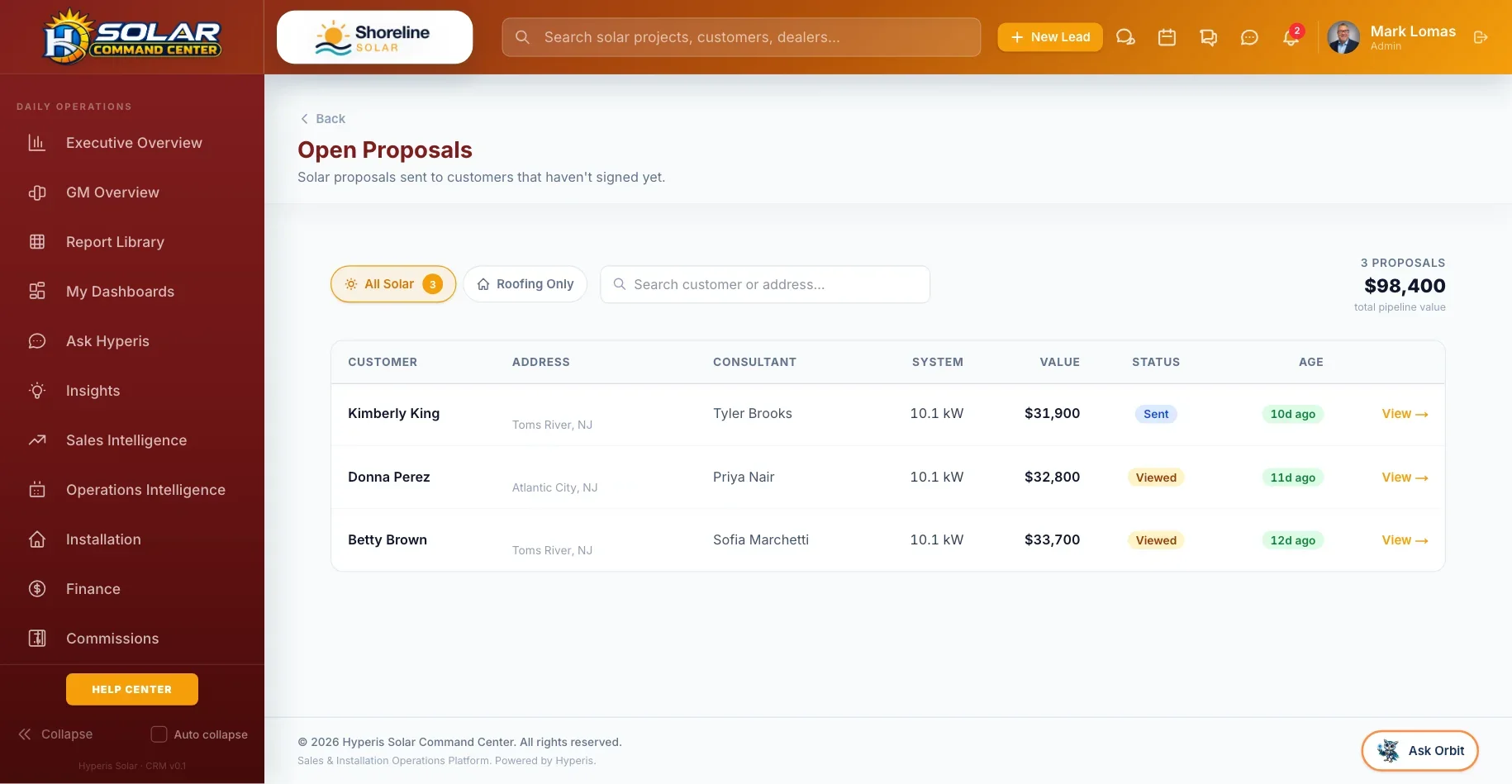
Send, track views and collect signatures. Once a lender approves a payment, that number is stored and shown as approved — never recalculated over.

Appointments without double-booking

Consults and site surveys on a shared calendar, with booking windows and capacity you control.

Calls and texts in the record

Click-to-call and texting with consent and STOP handling built in. Call recording is a company setting, off by default.

A won-gate before Contract

Required paperwork is checked before a deal can move to Contract. Admin overrides record who and why.

English and Spanish

Homeowner-facing messages and the customer portal follow each customer’s language.

Install

Design, permits and crews without the spreadsheets.

Hand-offs happen in the record, so nothing waits on someone remembering to send an email.

Design queue

Design requests with due dates, usage and roof notes, routed to the right designer by your rules.

Permit office profiles

Requirements and timelines per permit office, with suggested updates your team approves before they apply.

Utility interconnection library

Keep each utility’s interconnection forms in one library and attach them to the right projects.

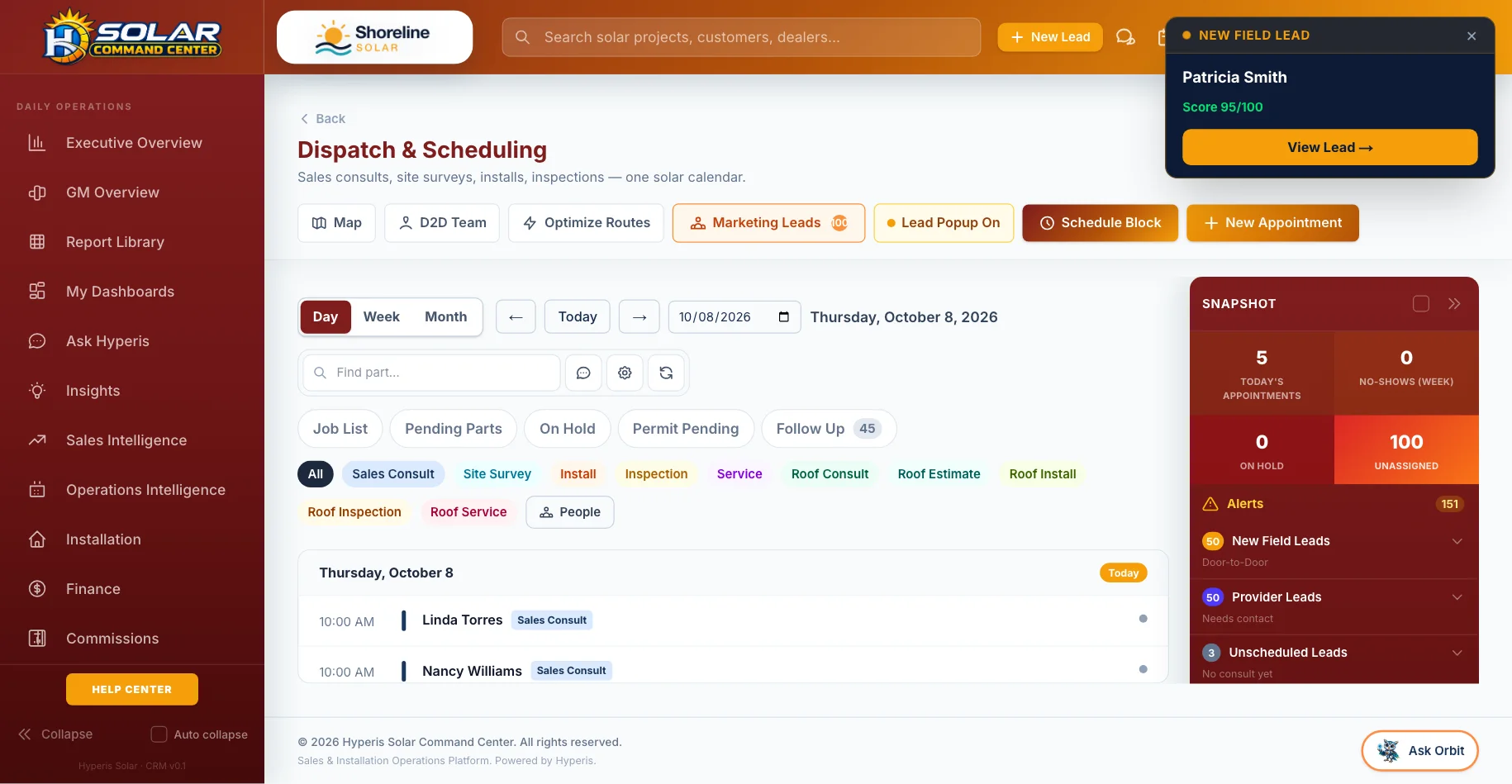
Dispatch board

Surveys, installs, inspections and service on one calendar, with crews, routes and today’s snapshot.

Equipment & orders

Equipment on every project, purchase orders with approval thresholds, and job costing with price-per-watt and margin.

Callbacks & warranty

A company-wide list of callbacks and warranty claims, so nothing reported after install is lost.

Routes and holds

Order a crew’s day by distance, and see jobs on hold and jobs waiting on parts in their own tabs.

Warehouse

Receive against purchase orders, transfer stock between locations, handle returns, scan barcodes, print labels and see what needs reordering.

Licenses & certifications

Installer licenses and certifications tracked with expiry dates, so nobody is sent out uncertified.

Roofing division

Turn on a roofing division with its own CRM, takeoff, material orders, crews, proposals and P&L.

Get paid

Commissions and cash everyone can trust.

The money side is built in, not bolted on — and it is the part that makes reps stay.

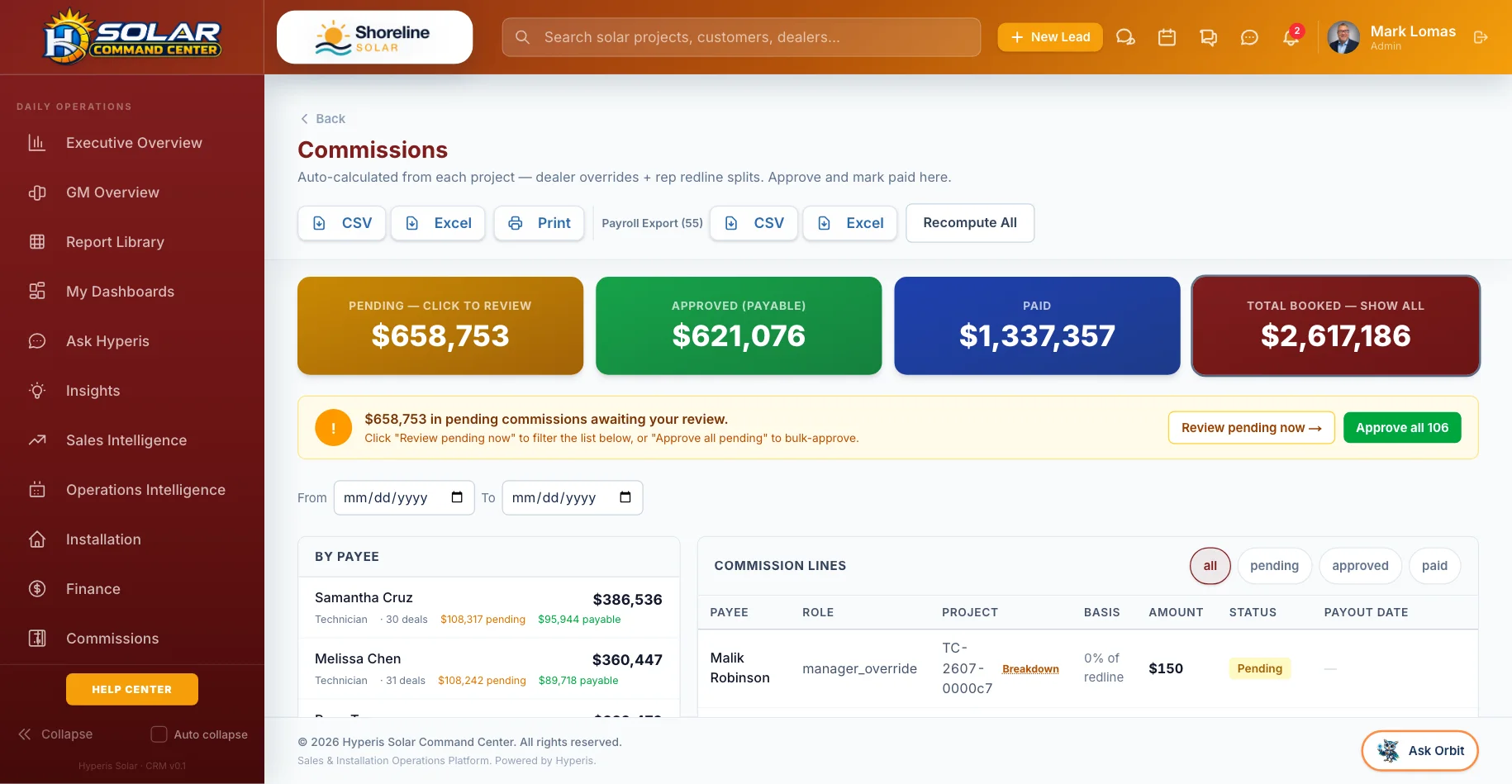
Commission engine

Per-rep plans, redline floors and splits. Lines are voided, never silently deleted, so the history always adds up.

Clawbacks by policy

Each company sets its clawback policy. Clawbacks are tracked in a ledger and offset against future pay.

W-9 before payouts

A W-9 is requested automatically before anyone is paid, and net-paid amounts flow to 1099s.

Invoices & change orders

Milestone invoices, change orders that update the contract and the invoices, and protection against paying twice.

Budget & cash flow

Compare actual revenue and margin against budget month by month, with a cash-flow view.

Service agreements

Sell service plans with an annual price and renewal date, and log every service visit against the plan.

Dealer partner portal

Sales partners get their own branded login with their team, referrals, commissions and reports — and see only their own deals.

QuickBooks sync

Invoices and payments sync to QuickBooks Online with role-checked connect and disconnect.

Dashboards & reports

An executive overview, operations and sales intelligence, KPI definitions and a report library — in your company’s time zone.

Real screens

Command Center, as it really looks.

Live app screens from a demo solar company — no mock-ups.

Command Center: Sales pipeline — Every opportunity by stage, owner and value
Sales pipelineEvery opportunity by stage, owner and value
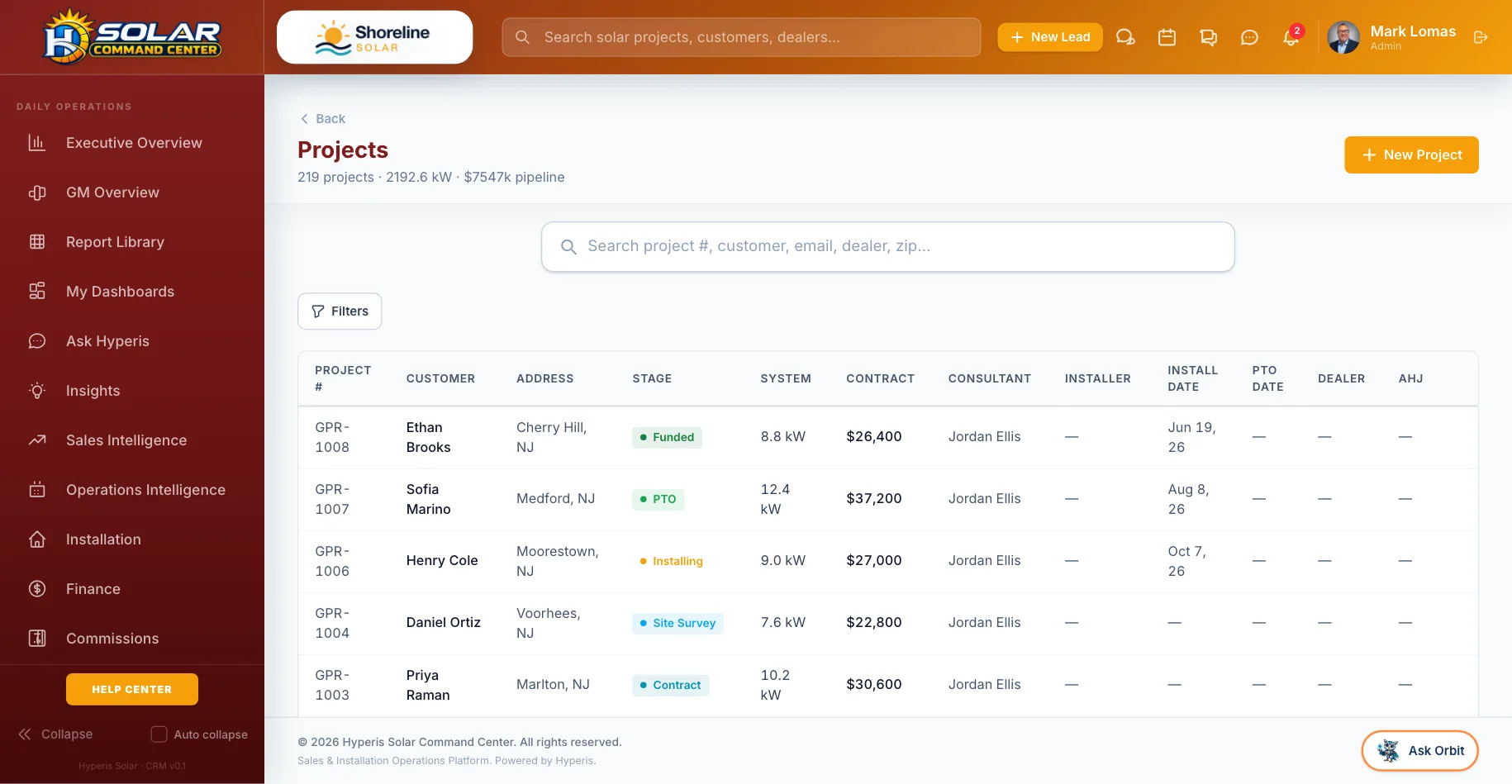
Command Center: Projects — Design to PTO with installer, permit office and dates
ProjectsDesign to PTO with installer, permit office and dates
Command Center: Proposals — Sent, viewed and signed, with lender payment kept as approved
ProposalsSent, viewed and signed, with lender payment kept as approved
Command Center: Dispatch & scheduling — Consults, surveys, installs and inspections on one calendar
Dispatch & schedulingConsults, surveys, installs and inspections on one calendar
Command Center: Commissions — Calculated, approved and paid, with clawbacks tracked
CommissionsCalculated, approved and paid, with clawbacks tracked

Walk through every screen →

Better together

Works with the rest of the family.

Every Hyperis Solar app runs on the same data, so adding one never means re-keying anything.

Hyperis Field Command
Companion app

Field operations & team app

Keep advisors, surveyors and field teams connected to the same project data without exposing the full back office.

  • Today’s appointments & jobs
  • Survey & install photos
  • Door-to-door canvassing & points
  • Utility bill capture
  • Earnings & timecard
  • Team Hub & messages
Explore Field Command
Hyperis Solar Ambassador
Companion app

Customer, referral & rewards app

Give homeowners one branded place for project updates, documents, appointments, production and support — and turn customers and community advocates into an organized referral channel.

  • Project status in plain words
  • Paperwork & signed documents
  • Site-survey booking & service requests
  • Solar production tracking
  • Referral links, rewards & leaderboards
  • One app for homeowners and ambassadors
Explore Solar Ambassador
FAQ

Questions, answered.

Is Command Center only for large installers?

No. It is built for any company that sells and installs its own systems. Offices, regions and roles scale up when you add them; a single-office installer uses the same product without the extra layers.

Can we bring our existing customers and projects?

Yes. We import your customers, projects and pipeline during onboarding, and imports can be undone if something comes across wrong.

Do our homeowners and field team need separate tools?

They get their own apps — Solar Ambassador for homeowners and Field Command for the field — running on the same data as Command Center, so nobody re-keys anything.

Can staff be required to use two-factor sign-in?

Yes. A company can require two-factor sign-in for every staff login.

See Command Center with your team.

A 30-minute walkthrough with someone who knows solar. Bring your questions — we’ll show you the real screens, not slides.