Site surveys · Field Command + Command Center

Surveys that land on the project.

Surveyors record the roof, the electrical and the photos in Field Command, and everything lands on the same project the rep sold — ready for design. The office sees every surveyor’s completed surveys, turnaround and survey pay, and homeowners can book their own survey time.

Survey form in the field appPhotos on the projectSurveyor turnaround and pay
1

record — the survey lands on the same project as the sale

Per roof

section recorded with pitch, age and material

3

survey pay states tracked: pending, approved, paid

Self-serve

homeowners book a survey time from your real availability

What’s included

Everything design needs, captured once.

A structured survey in the surveyor’s pocket, and the reporting to run the team behind it.

Roof sections

Each roof section with its pitch, age and material, plus shading and a suitability call for solar.

Electrical

Main panel amperage and location, and the meter — the details design and permitting ask for first.

Survey photos

Photos taken in the app attach to the project and show up in the CRM straight away.

Parcel lookup

Block, lot and qualifier are looked up from the site address (New Jersey) and carried into the permit forms.

Homeowner booking

Homeowners pick a survey time from your real availability in Solar Ambassador, and your team is notified.

Surveyor roster

Every surveyor’s completed surveys and average turnaround in one report.

Built in

Pay on submit

A surveyor’s pay is created when the survey is submitted, and tracked from pending to approved to paid.

Straight to design

The submitted survey sits on the project, so the design queue starts from real measurements, not a phone call.

Real screens

See it in the product.

Live app screens from a demo solar company — click any screen to see it full size.

SurveysEvery surveyor’s surveys, turnaround and pay
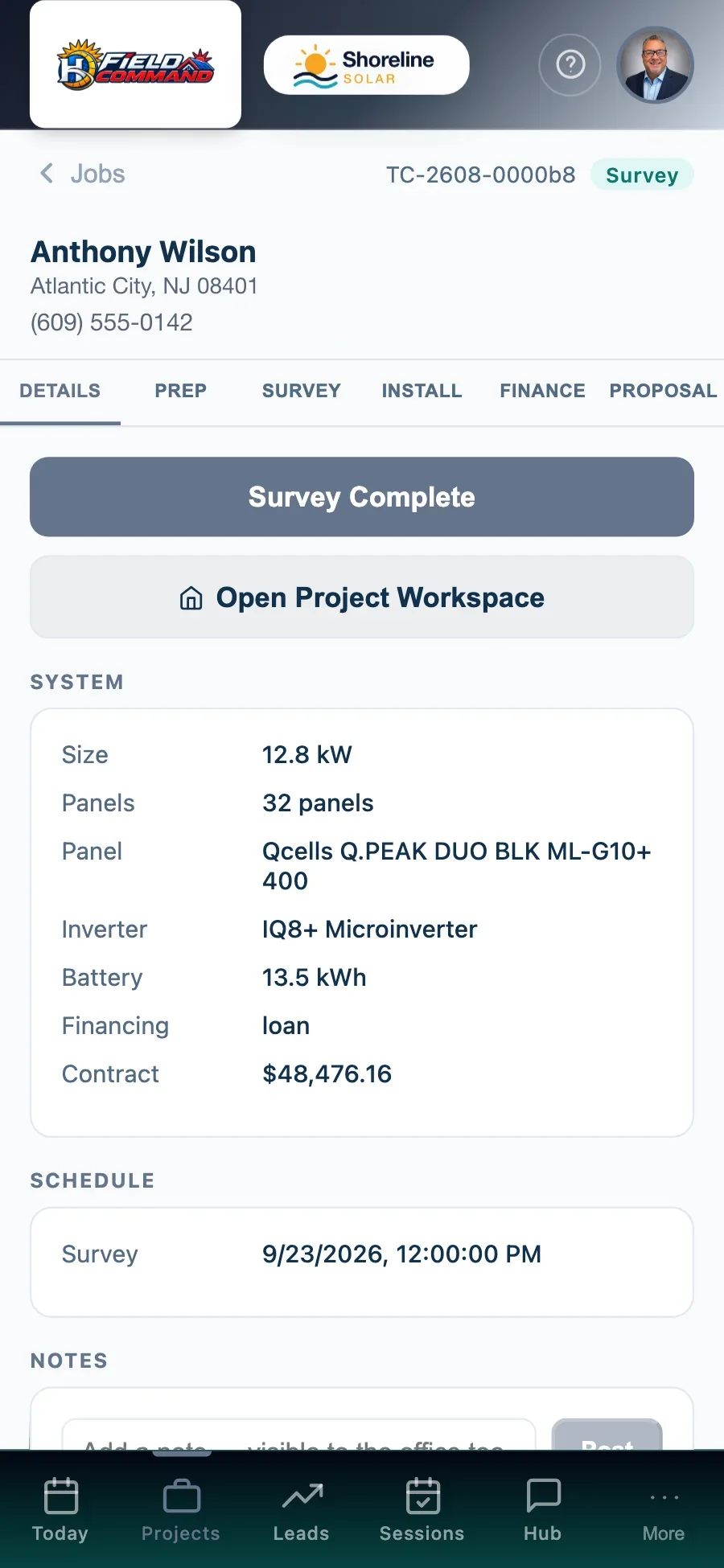
Field Command: Job detail — Address, system, notes and next step
Job detailAddress, system, notes and next step
How it works

Three steps, no spreadsheets.

1

Book the survey

The office schedules it, or the homeowner picks a time in the app.

2

Survey in the field

The surveyor records roof sections, electrical and photos in Field Command.

3

Design and permit

The survey is on the project for design, and the parcel details flow into the permit forms.

Where you’ll find it

Part of the whole platform.

It runs on the same data as everything else in Hyperis Solar — nothing to connect, nothing to re-key.

Hyperis Field Command
Companion app

Field operations & team app

Keep advisors, surveyors and field teams connected to the same project data without exposing the full back office.

  • Today’s appointments & jobs
  • Survey & install photos
  • Door-to-door canvassing & points
  • Utility bill capture
  • Earnings & timecard
  • Team Hub & messages
Explore Field Command
Hyperis Solar Command Center
Flagship platform

Sales & installation operations platform

Run the entire solar operation from first lead through design, permitting, installation, funding, PTO, service and customer experience.

  • Sales CRM, pipeline & proposals
  • Design, permitting & utility workflow
  • Dispatch, crews & inspections
  • Equipment, orders & job costing
  • Commissions, invoicing & QuickBooks
  • Dashboards, KPIs & report library
Explore Command Center
Hyperis Solar Ambassador
Companion app

Customer, referral & rewards app

Give homeowners one branded place for project updates, documents, appointments, production and support — and turn customers and community advocates into an organized referral channel.

  • Project status in plain words
  • Paperwork & signed documents
  • Site-survey booking & service requests
  • Solar production tracking
  • Referral links, rewards & leaderboards
  • One app for homeowners and ambassadors
Explore Solar Ambassador
FAQ

Questions, answered.

Do surveyors need a separate app?

No. Surveyors use Field Command, the same app as reps and installers, and only see the jobs assigned to them.

How are surveyors paid?

Survey pay is created when the survey is submitted from the app, then approved and paid — with the W-9 collected before anyone is paid.

Does parcel lookup work everywhere?

Parcel lookup covers New Jersey today. Everywhere else, the block and lot are entered by hand.

See it with your pipeline.

A 30-minute walkthrough with someone who knows solar. Bring your questions — we’ll show you the real screens, not slides.