
Presentations & proposals

Win the kitchen table.

A 27-slide in-home presentation built from the homeowner’s own bill and roof, a live mirror to their phone, and an on-screen signature that moves the deal straight to Contract.

Live mirror to the homeownerOne tap from Field CommandSign on screen
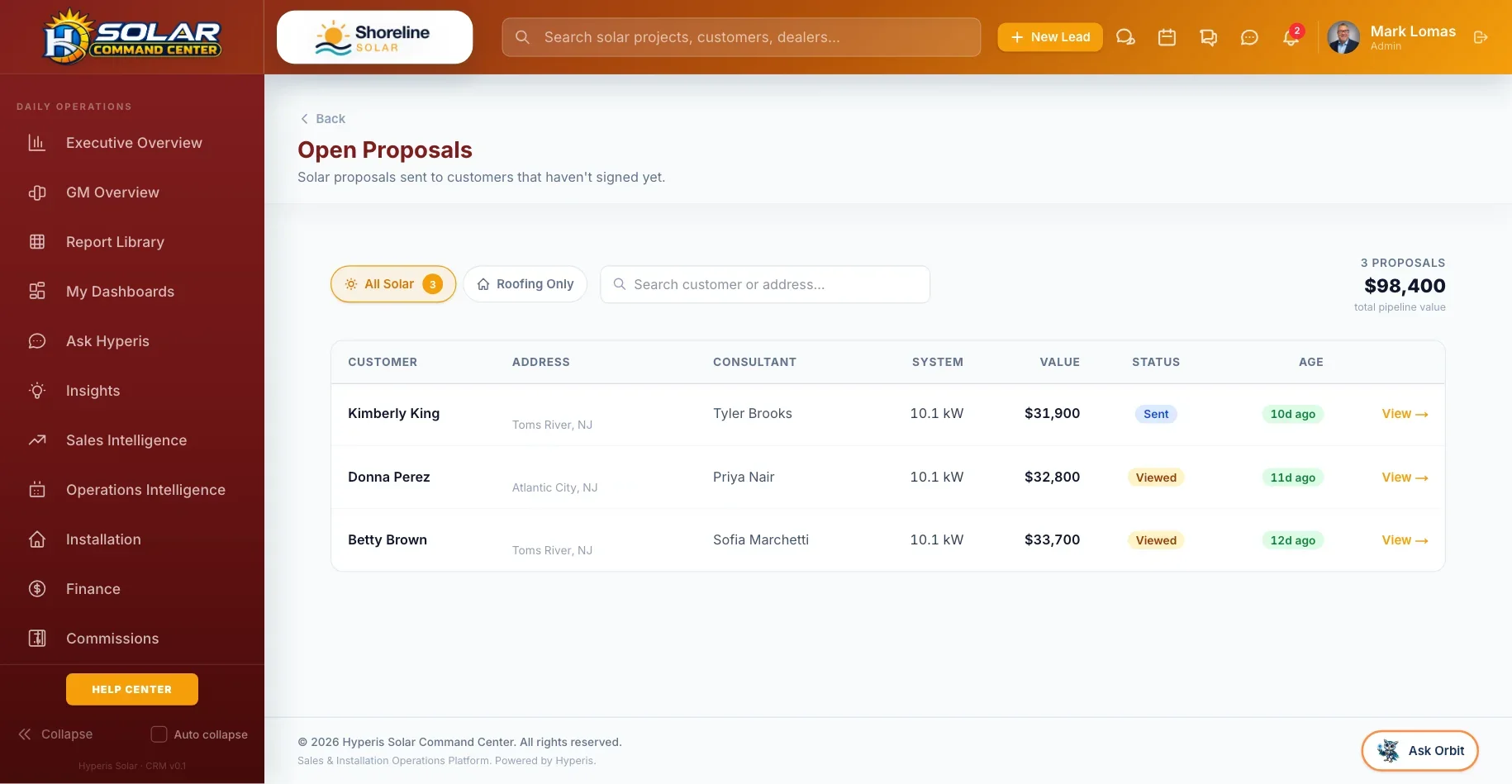
Command Center: Proposals — Sent, viewed and signed, with lender payment kept as approved
27

slides — bill analysis, rate tables, financing and savings

1

tap to open the deck from Field Command

Live

mirror: the homeowner’s phone follows your slides

Gate

no deal marked won without signed paperwork — overrides are logged

What’s included

Everything for the close.

From the utility bill to a signed contract, without leaving the platform.

A 27-slide presentation

Bill analysis, rate tables, financing options, savings and a sign-here slide — with roof and tree adders added automatically when the job needs them.

Live mirror

The homeowner’s portal follows your slides in real time, so a virtual presentation feels like you are at the table.

One tap from the field

Advisors open the presentation or the proposal from Field Command with one tap, already signed in.

AI utility-bill reader

Snap a photo of the bill and Hyperis reads the annual and monthly usage for you — in the CRM or in the field.

Production estimates

System production estimated from NREL PVWatts for the homeowner’s address.

Proposals that close

Customer proposal pages with on-screen signature, and a status lifecycle so you can see what was sent, viewed, signed or aging.

The won-gate

A deal can’t be marked won until a signed agreement is on file — and for financed deals, the lender and finance agreement too. Overrides record who and why.

DocuSign signup packet

Send, void, resend and track the signup packet from the project, and pull the signed PDF back into the record.

Sold sets everything in motion

Signing triggers commissions, permits and post-sale setup automatically — nobody re-types the deal.

Real screens

See it in the product.

Live app screens from a demo solar company — click any screen to see it full size.

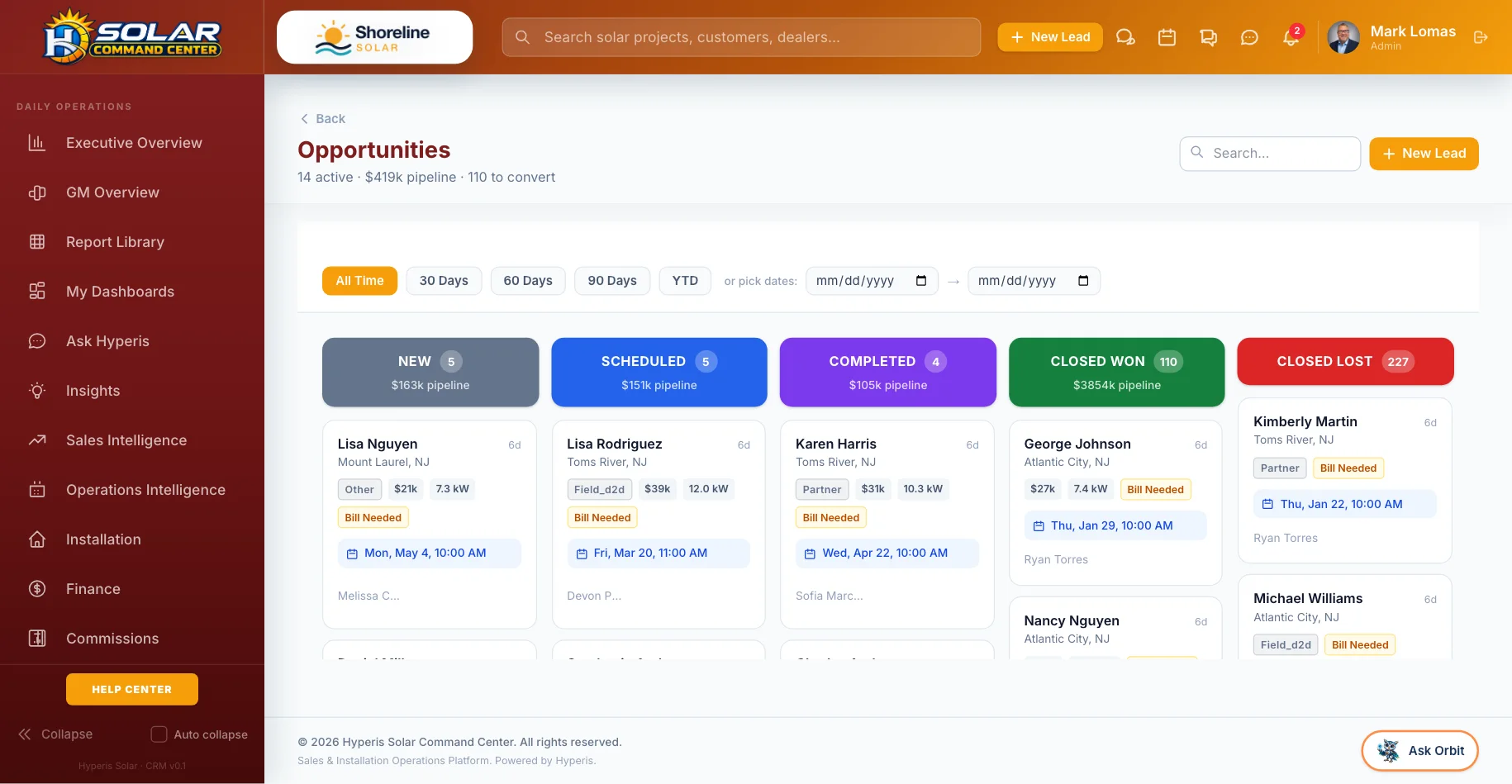
Command Center: Sales pipeline — Every opportunity by stage, owner and value
Sales pipelineEvery opportunity by stage, owner and value
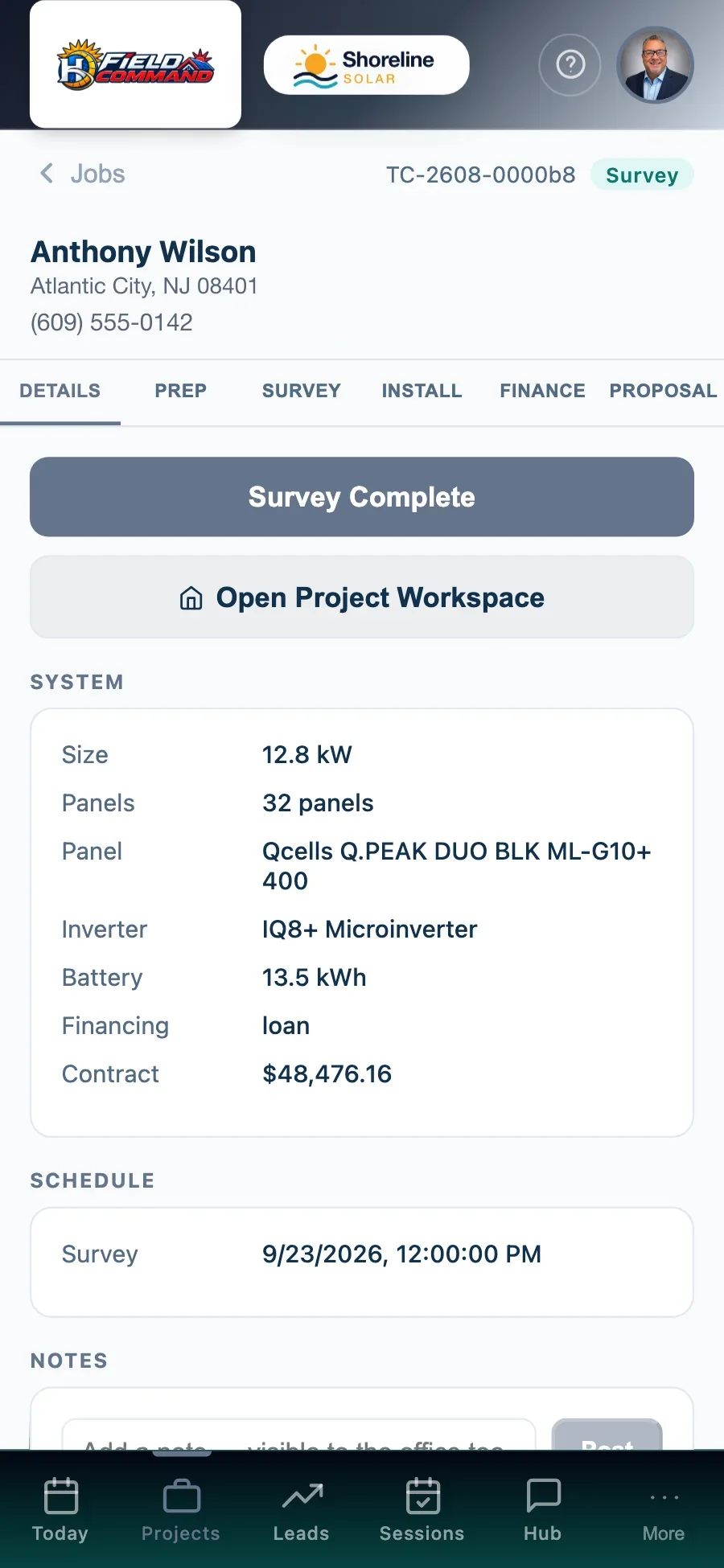
Field Command: Job detail — Address, system, notes and next step
Job detailAddress, system, notes and next step
How it works

Three steps, no spreadsheets.

1

Read the bill

Photograph the utility bill and let the AI pull the usage, or enter it yourself.

2

Present

Walk the homeowner through the deck in person or live-mirrored to their phone.

3

Sign and go

They sign on screen, the deal moves to Contract, and commissions, permits and setup start on their own.

Where you’ll find it

Part of the whole platform.

It runs on the same data as everything else in Hyperis Solar — nothing to connect, nothing to re-key.

Hyperis Solar Command Center
Flagship platform

Sales & installation operations platform

Run the entire solar operation from first lead through design, permitting, installation, funding, PTO, service and customer experience.

  • Sales CRM, pipeline & proposals
  • Design, permitting & utility workflow
  • Dispatch, crews & inspections
  • Equipment, orders & job costing
  • Commissions, invoicing & QuickBooks
  • Dashboards, KPIs & report library
Explore Command Center
Hyperis Solar Pro
Sales organizations

Team expansion & management platform

Built for solar organizations focused on recruiting, managing, coaching and scaling sales teams without carrying installation operations.

  • Team leads, pipeline & customers
  • Manager dashboards & performance
  • Commissions, contests & incentives
  • Calendar, follow-up & sales activity
  • Book visits with your installer partners
  • Upgrade path into Command Center
Explore Solar Pro
Hyperis Solar Connect
Independent consultants

Independent sales & customer platform

A focused workspace for independent solar professionals who need a professional CRM, customer experience, referrals and installer connectivity.

  • Personal lead & customer CRM
  • Appointments & follow-up
  • Projects across installer partners
  • Customer communication tools
  • Ambassador & referral management
  • Upgrade path into Solar Pro
Explore Connect
FAQ

Questions, answered.

Can we present virtually?

Yes. Live mirror puts your slides on the homeowner’s phone as you move through them, so you can present over a call.

What stops a rep closing a deal without paperwork?

The won-gate. A deal can’t move to won or Contract without a signed agreement — and for financed deals the lender and finance agreement — unless an admin overrides it with a recorded reason.

Does the proposal use our branding?

Yes. Proposals and the homeowner portal show your company’s name, logo and colors.

See it with your pipeline.

A 30-minute walkthrough with someone who knows solar. Bring your questions — we’ll show you the real screens, not slides.