Door-to-door & field sales

Every door, every rep, one map.

Territories, door-by-door outcomes and property lookups in Field Command; a knock funnel and territory performance in the CRM; and setters paid automatically for the leads they capture.

Territory mapProperty owner lookupSetters paid automatically
Map

territories with color-coded knocks in the field app

Auto

setter credit and lead-capture commissions

Live

points leaderboard on the company’s local day

EN/ES

field app in English and Spanish

What’s included

Canvassing that feeds the pipeline.

A knock becomes a lead, a lead becomes a booked appointment, and the setter gets the credit.

Territory map

Territory polygons and color-coded knocks, door by door, in Field Command.

Property lookup

Look up the property before you knock, right from the map.

Knock to lead

Log the outcome at each door; interested homeowners become leads in the CRM straight away.

Knock funnel and territories

The D2D roster, door-knock funnel and territory performance, side by side.

Built in

Setters paid automatically

Captured-by credit and lead-capture commissions for D2D and partner reps, calculated as deals move.

Points leaderboard

Door-knocking points and leaderboards, counted on the company’s local day.

Book on the spot

Book the consultation from the field; the lead becomes a project once the appointment is set.

Compliant follow-up

Texts from the field respect consent, STOP and Do Not Market lists.

Real screens

See it in the product.

Live app screens from a demo solar company — click any screen to see it full size.

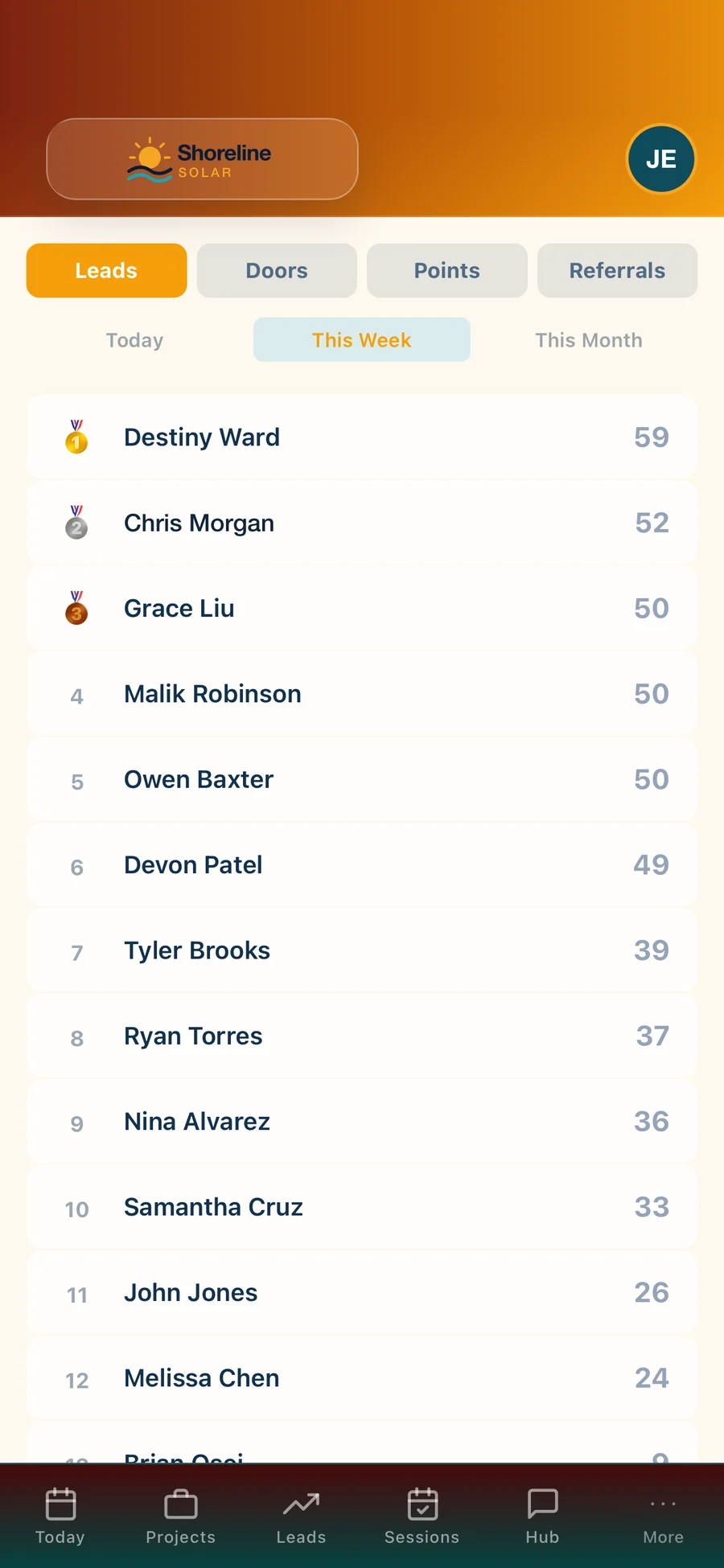
Field Command: Leaderboard — Deals, kW and points for the whole team
LeaderboardDeals, kW and points for the whole team
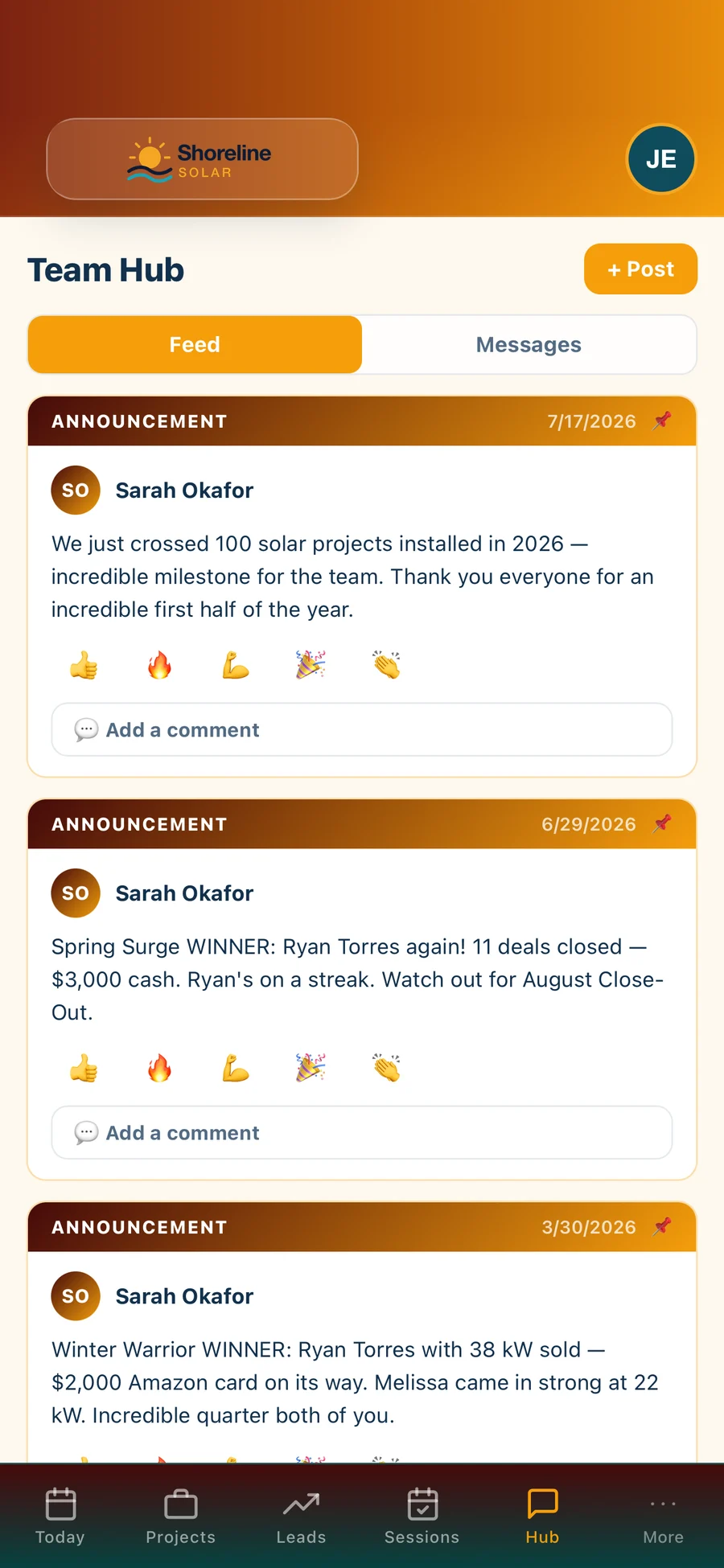
Field Command: Team Hub — Announcements, contest winners and team messages
Team HubAnnouncements, contest winners and team messages
How it works

Three steps, no spreadsheets.

1

Claim a territory

Reps see their territory and every door’s history on the map.

2

Knock and log

Outcomes are logged door by door; interested homeowners become leads and appointments.

3

Get credit

Setters are credited and paid as their leads move through the pipeline.

Where you’ll find it

Part of the whole platform.

It runs on the same data as everything else in Hyperis Solar — nothing to connect, nothing to re-key.

Hyperis Field Command
Companion app

Field operations & team app

Keep advisors, surveyors and field teams connected to the same project data without exposing the full back office.

  • Today’s appointments & jobs
  • Survey & install photos
  • Door-to-door canvassing & points
  • Utility bill capture
  • Earnings & timecard
  • Team Hub & messages
Explore Field Command
Hyperis Solar Command Center
Flagship platform

Sales & installation operations platform

Run the entire solar operation from first lead through design, permitting, installation, funding, PTO, service and customer experience.

  • Sales CRM, pipeline & proposals
  • Design, permitting & utility workflow
  • Dispatch, crews & inspections
  • Equipment, orders & job costing
  • Commissions, invoicing & QuickBooks
  • Dashboards, KPIs & report library
Explore Command Center
Hyperis Solar Pro
Sales organizations

Team expansion & management platform

Built for solar organizations focused on recruiting, managing, coaching and scaling sales teams without carrying installation operations.

  • Team leads, pipeline & customers
  • Manager dashboards & performance
  • Commissions, contests & incentives
  • Calendar, follow-up & sales activity
  • Book visits with your installer partners
  • Upgrade path into Command Center
Explore Solar Pro
FAQ

Questions, answered.

Is door-to-door included?

Door-to-door canvassing is an add-on for Field Command, turned on per company.

Does door-knocking need a separate app?

No. It is part of Field Command, on the same data as the CRM.

How are setters paid?

Captured-by credit and lead-capture commission plans pay setters automatically as their leads move through the pipeline.

Does it work on iPhone and Android?

Field Command runs on iPhone and Android and in the browser.

See it with your pipeline.

A 30-minute walkthrough with someone who knows solar. Bring your questions — we’ll show you the real screens, not slides.