
Field operations & team app

Everything the field needs, nothing it doesn’t.

Field Command puts advisors, surveyors and installers on the same project data as the office — appointments, jobs, photos, door knocking and earnings in their pocket.

Photos land in the CRMDoor-knock leaderboardFace ID sign-in
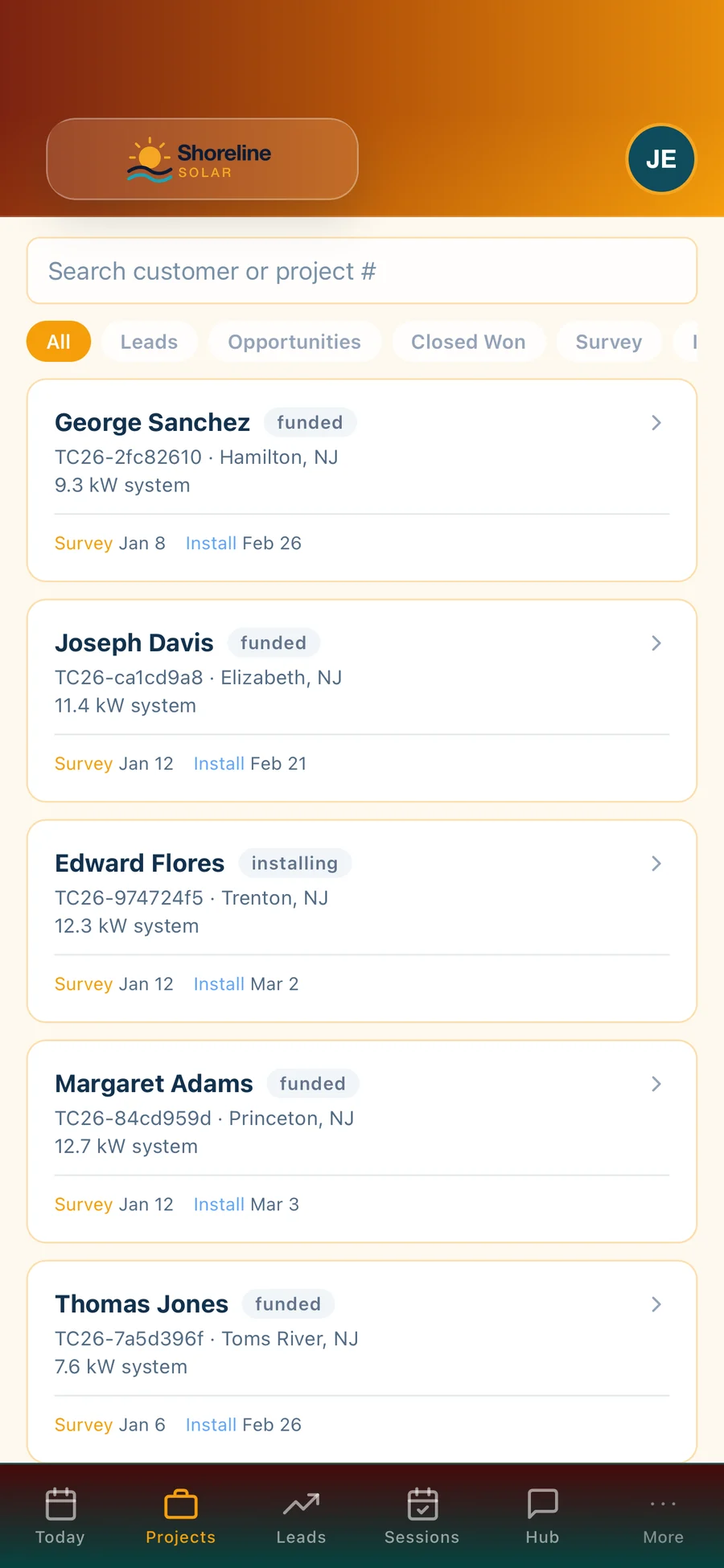
Field Command: Projects — Every customer, stage, survey and install date
In the field

Built for the driveway.

Big buttons, the next step first, and nothing that needs a desk.

Today first

Appointments, jobs and pipeline for the day the moment the app opens.

Photos that reach the office

Survey, install and utility-bill photos taken in the field show up in the CRM project straight away.

Site survey tool

Roof sections with pitch, age and material, main panel and meter, shading and suitability — recorded once, on the project.

Time clock

Crews clock in to jobs from the app, and the hours flow into each job’s labor cost.

Training library

Scripts, SOPs and training published to the field app, with start and end dates.

Door knocking

Log outcomes door by door, claim territory and climb the points leaderboard — counted on the company’s local day.

For managers

See the team, not just yourself.

Managers can view and act on their team’s jobs from the same app.

Team jobs

Managers see and update their team’s jobs, not only their own.

Pay on submit

A surveyor’s pay is triggered when the survey is submitted from the app.

Compliant messaging

Texts from the field respect consent, STOP and Do Not Market lists.

Real screens

Field Command, as it really looks.

Live app screens from a demo solar company — no mock-ups.

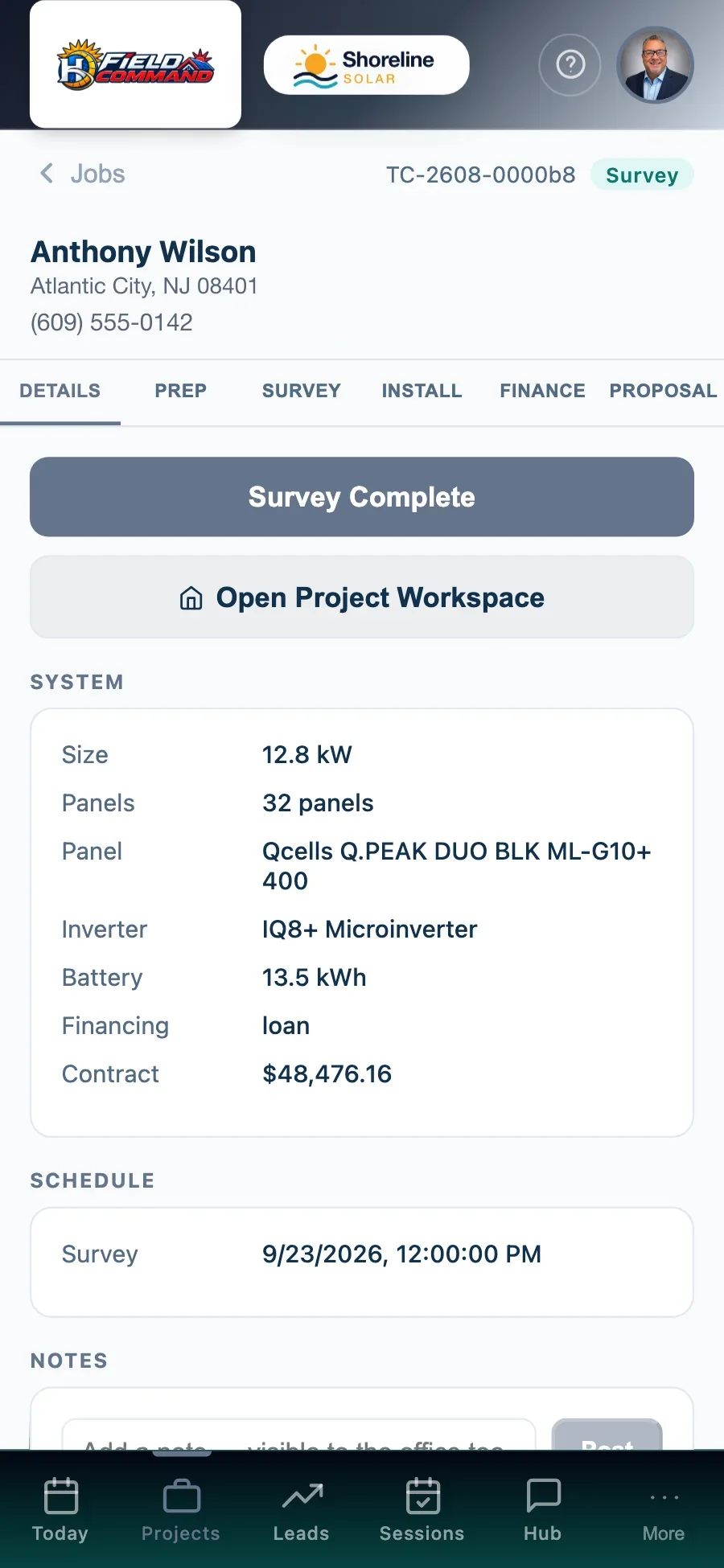
Field Command: Job detail — Address, system, notes and next step
Job detailAddress, system, notes and next step
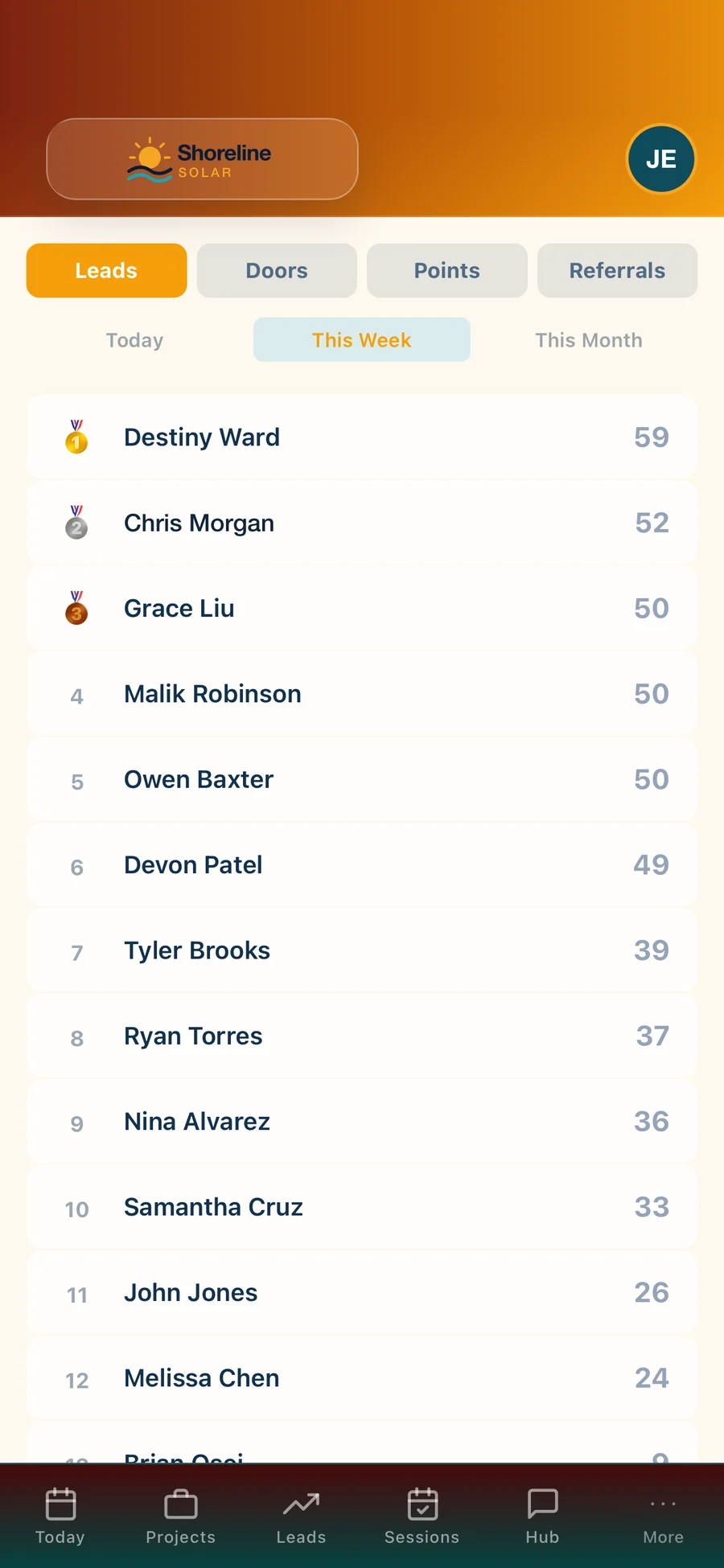
Field Command: Leaderboard — Deals, kW and points for the whole team
LeaderboardDeals, kW and points for the whole team
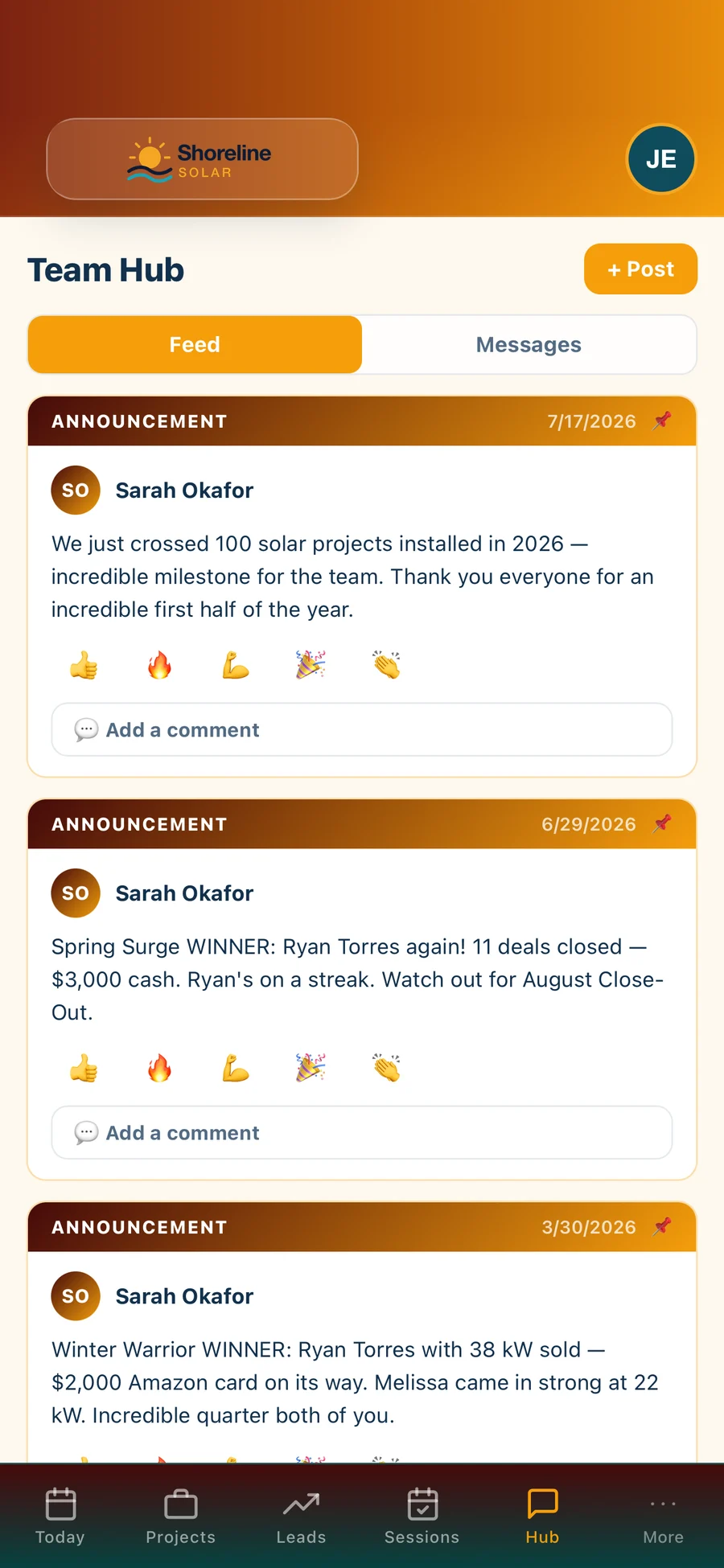
Field Command: Team Hub — Announcements, contest winners and team messages
Team HubAnnouncements, contest winners and team messages

Walk through every screen →

Better together

Works with the rest of the family.

Every Hyperis Solar app runs on the same data, so adding one never means re-keying anything.

Hyperis Solar Command Center
Flagship platform

Sales & installation operations platform

Run the entire solar operation from first lead through design, permitting, installation, funding, PTO, service and customer experience.

  • Sales CRM, pipeline & proposals
  • Design, permitting & utility workflow
  • Dispatch, crews & inspections
  • Equipment, orders & job costing
  • Commissions, invoicing & QuickBooks
  • Dashboards, KPIs & report library
Explore Command Center
Hyperis Solar Pro
Sales organizations

Team expansion & management platform

Built for solar organizations focused on recruiting, managing, coaching and scaling sales teams without carrying installation operations.

  • Team leads, pipeline & customers
  • Manager dashboards & performance
  • Commissions, contests & incentives
  • Calendar, follow-up & sales activity
  • Book visits with your installer partners
  • Upgrade path into Command Center
Explore Solar Pro
FAQ

Questions, answered.

Which products does Field Command work with?

Field Command works with Command Center and Solar Pro. It uses the same login and the same data, so nothing is re-keyed.

Does it work on iPhone and Android?

Field Command runs on iPhone and Android, and in any modern browser at field.hyperissolar.com.

See Field Command with your team.

A 30-minute walkthrough with someone who knows solar. Bring your questions — we’ll show you the real screens, not slides.